
A0 Poster Template
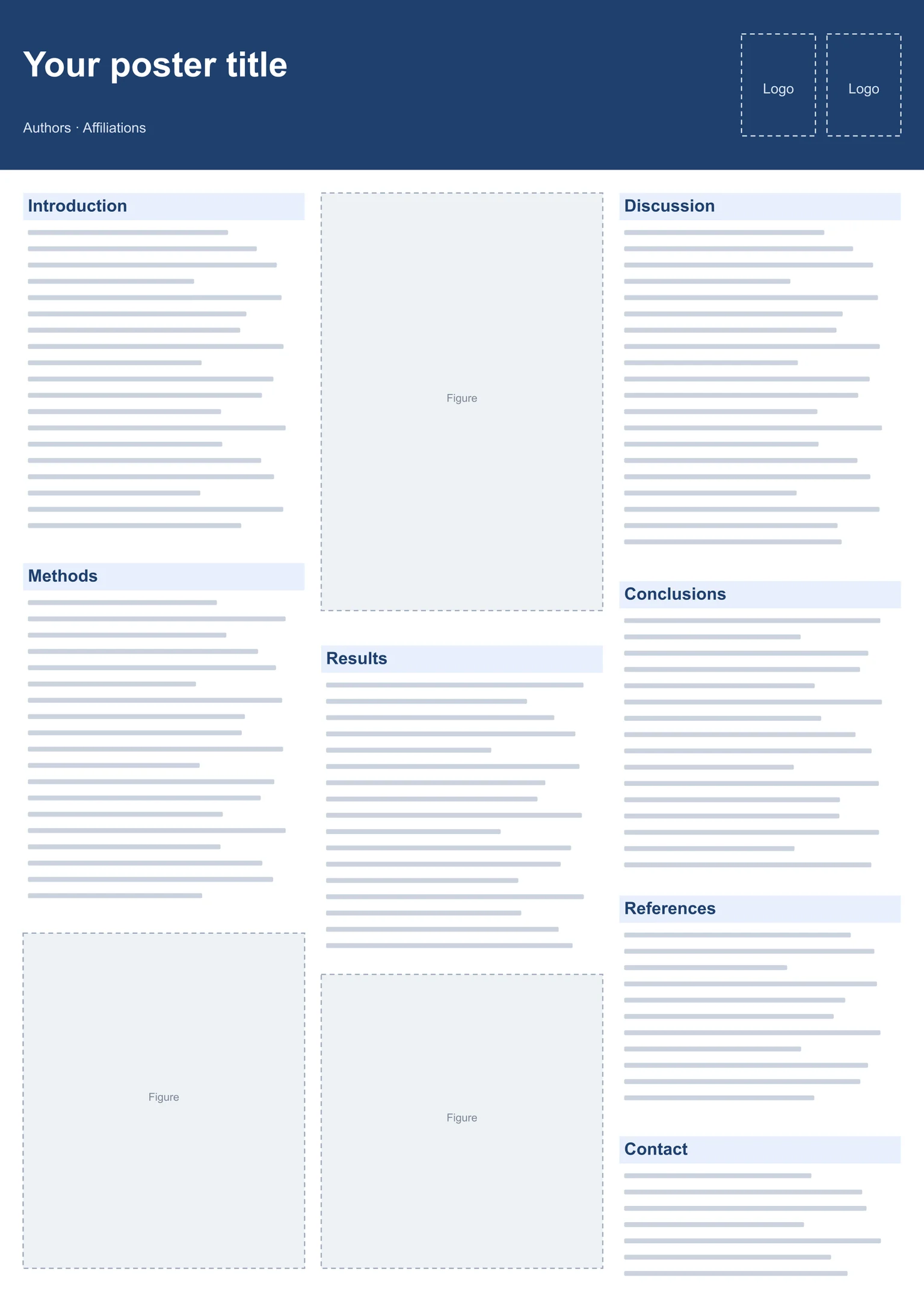
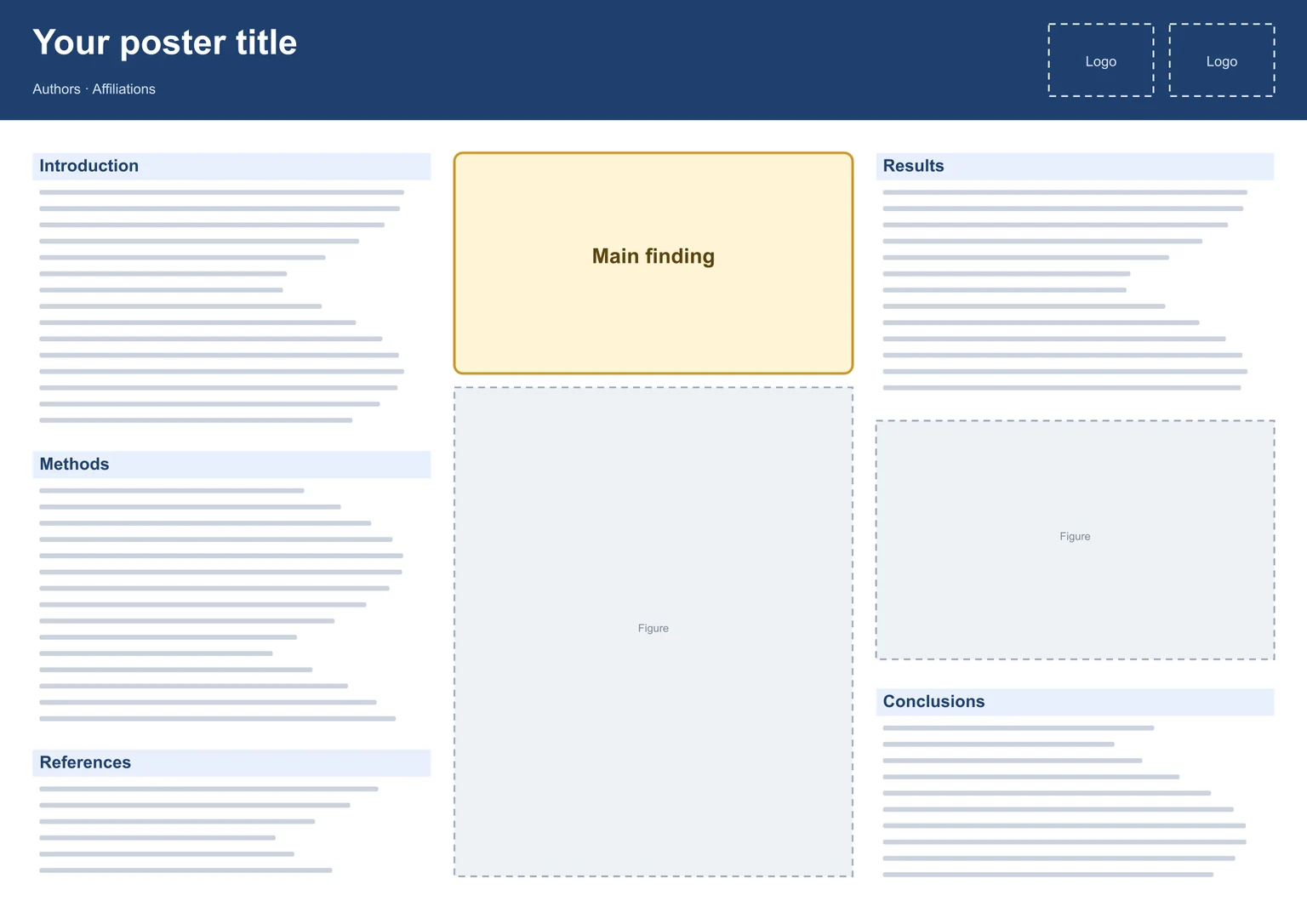
Two free A0 poster templates for PowerPoint, one portrait and one landscape, already set to the exact A0 size of 841 × 1189 mm. Each file has a title band, sections with guidance text and figure boxes, with font sizes chosen for reading from one to two metres.
Exact print size
841 × 1189 mm
84.1 × 118.9 cm · 33.1 × 46.8 in
- 150 dpi
- 4,967 × 7,022 px
- 300 dpi
- 9,933 × 14,043 px
Suggested font sizes
- Title72–110 pt
- Section headings36–54 pt
- Body text24–32 pt
- Captions and legends18–24 pt
What Is an A0 Poster Template?
Most printing problems come from a file set to the wrong size. The preset canvas avoids that, and the same steps work if you start from a blank file.
A0 PowerPoint Poster Template Setup
Open the template and check Design › Slide Size › Custom Slide Size: 84.1 × 118.9 cm for portrait, the other way round for landscape. A0 fits within PowerPoint's 56-inch limit, so no scaling is needed. Work in a duplicate of the slide so that you can recover the original layout while editing. Check orientation before moving any figures, since switching it later can throw off the reading order and leave captions stranded.
Academic Poster SizeImport an A0 Research Poster Template into Canva
Both can open a PPTX file. Upload the template, check that the page size is still 841 × 1189 mm after the import, and download a print-quality PDF. After importing, compare the title and labels with the preview here. A line break in a narrow textbox can move a caption into the chart below it, so inspect the exported file as well as the edit view.
Research Poster TemplateA0 Size Poster Template Resolution
An A0 page is about 4,967 × 7,022 px at 150 dpi and 9,933 × 14,043 px at 300 dpi. Photos need roughly 150–300 dpi at the size they are printed; charts and diagrams are best as vector graphics. You can use the pixel figures in the download panel to check a full-page bitmap. For an individual photo, use its own width on the poster when evaluating sharpness. Inspect small axis labels at their final print scale too.
Image DPI CheckerWhy Use Our A0 Poster Template?
Pick the orientation the conference board allows. The two templates use different layouts because the reading path changes.
A0 Academic Poster Template in Portrait
Three columns with a large central result figure, the most common layout at European and Asian meetings. Readers move down each column, then right. Give the central image on your poster a caption that says what changed and under which conditions. Readers who find the result first can then use the introduction column to recover the context.
Research Poster ExamplesA0 Landscape Poster Template for Wide Boards
A highlighted key-finding box and figure in the centre, with background and methods on the left and details on the right. It suits wide boards. Use the wide middle panel to place evidence next to its interpretation. If two figures support separate claims, give each a visible landmark so viewers can follow one comparison at a time.
Scientific Poster MakerA0 Research Poster Template Typography
Title 72–110 pt, section headings 36–54 pt, body text 24–32 pt and captions 18–24 pt. Body text below 24 pt is hard to read from a metre away. Check body text beside the busiest figure in your page layout. Trimming the caption to the information needed for interpreting the figure usually frees more room for the plot and means visitors can stay focused on it.
Best Font for Scientific PosterHow to Use the A0 Poster Template in 3 Steps
Pick a board orientation, lay out the evidence and check the PDF at the finished dimensions.
- 01
Choose an A0 Portrait Poster Template or the Landscape File
Choose portrait or landscape and download the PPTX. It opens in PowerPoint, Keynote, Google Slides and Canva. Match the orientation to your event instructions, then save a working copy with your project name. Keep the download available so you can compare the blank placeholders with your first draft.
A1 Poster Template - 02
Fill In the A0 Research Poster Template
Type over the guidance text in each section and drop your figures into the grey boxes. Keep the font sizes; shorten the text instead. Write the headline result before expanding your background section. The figure boxes work as a space budget for your full-size layout, so put the strongest piece of evidence where visitors will see it without searching.
References on a Poster - 03
Proof Your A0 Size Poster Template
Export a PDF at the A0 page size and send it to the printer. Check the PDF at 100% zoom first to spot blurry images. Check the PDF page dimensions and ask the shop to print at actual size. Review any Greek letters, subscripts and thin chart strokes before sending it. If the shop offers a proof, check that the edges and title band have room to breathe.
Academic Poster Size