
AI Medical Illustration Generator
An AI medical illustration generator for teaching slides, papers and patient materials. Describe the anatomy, physiology or disease mechanism, approve the labels, and get a clean illustration whose labels you can edit and translate.
30 free credits when you sign up · No credit card
What Is an AI Medical Illustration Generator?
Most medical illustrations explain how something works. A medical illustration generator is quickest when the subject is a mechanism or a structure you can describe in a few sentences.
What Is Medical Illustration for Teaching?
Physiology and pathophysiology diagrams for lectures, exported as PPTX so you can edit or animate the labels in PowerPoint. A lecturer might use a workspace to isolate one structure students must recognize. Use the slide title to establish orientation, then direct attention to the feature you will explain in the lecture.
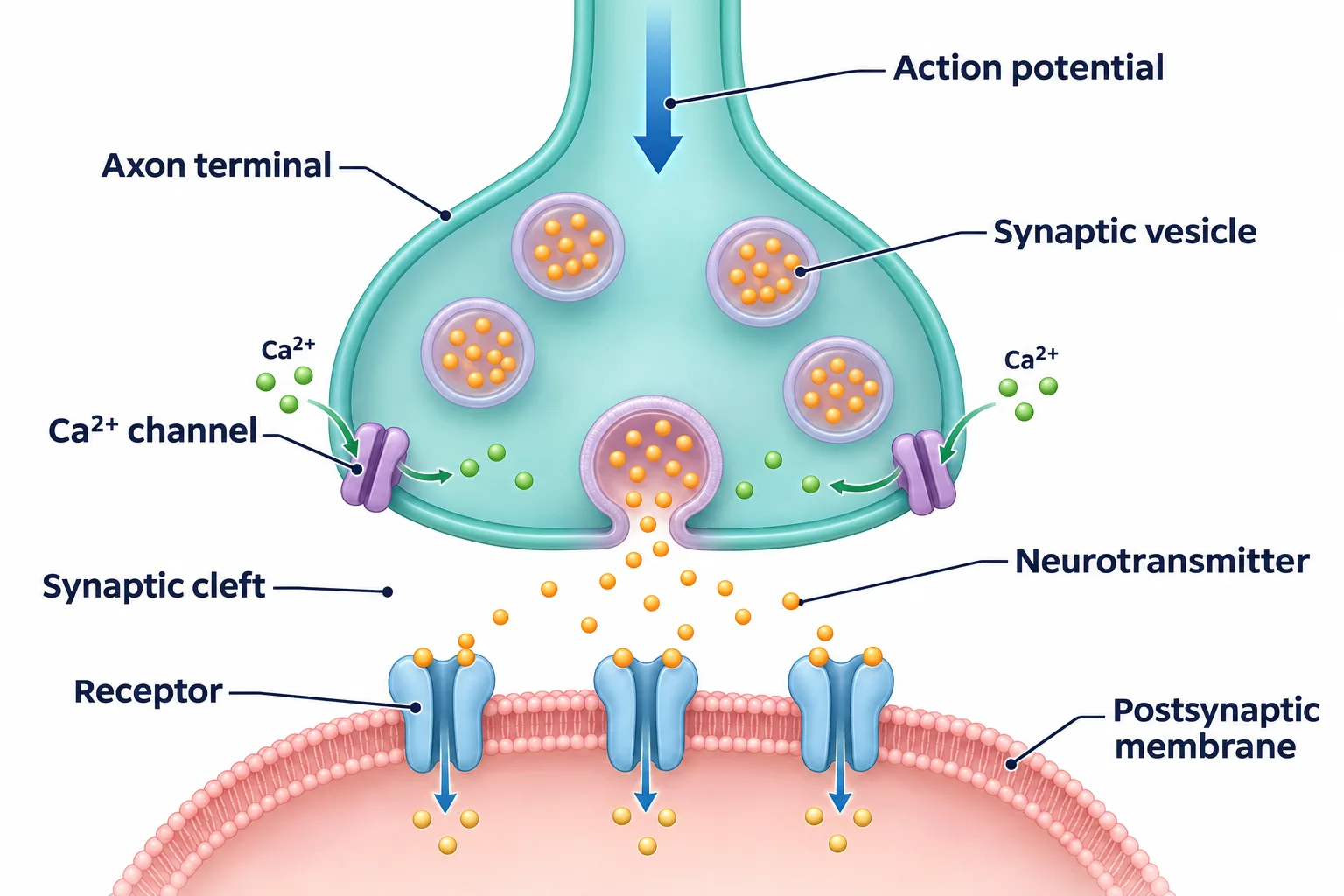
Inspect a labelled neuron diagramWhat Are Medical Illustrations Used for in Papers?
Mechanism figures for reviews and case reports at journal resolution, with labels checked against the terms you approved. When you are preparing a schematic for a case report, explain exactly which details are generalized. Keep the illustration distinct from any original clinical image and give it a caption that says what the diagram represents.
Draft an editable scientific figureHow Medical Illustration Helps Patients Understand
Simple, labelled drawings for leaflets. Because labels are text, you can rewrite them in plain language or another language. Before drafting a leaflet, identify which single concept the reader should take away. A generator can help produce an initial outline, then a qualified reviewer can check whether the labels are appropriate for that audience.
Make a graphical abstractMedical illustrations you can make
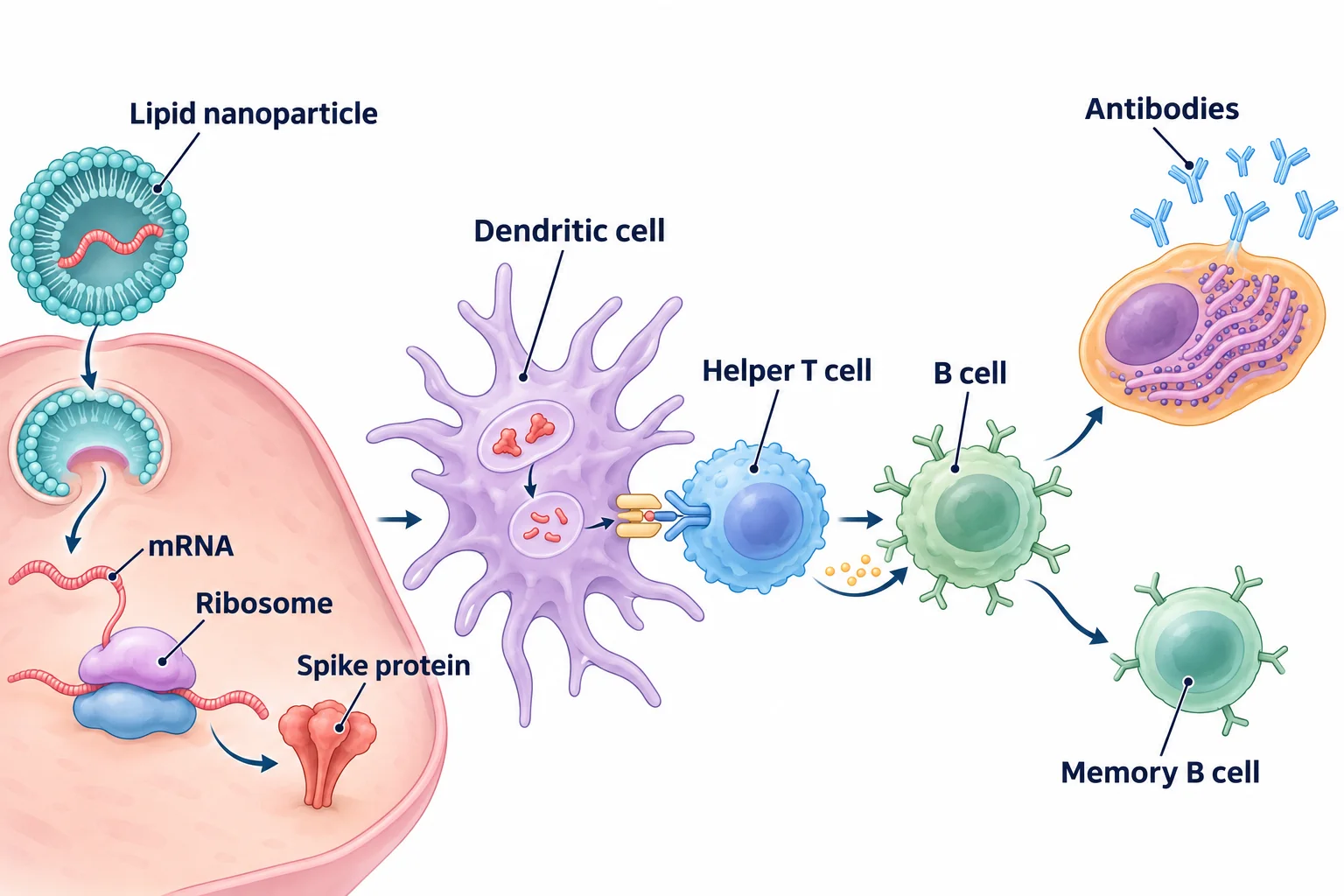
The gallery pairs views of whole organs with close-ups of cells and tissue. For teaching materials, use these views to decide how much anatomical context students need before they can follow the labels.
Why Is Medical Illustration Important for Explaining Sequence?
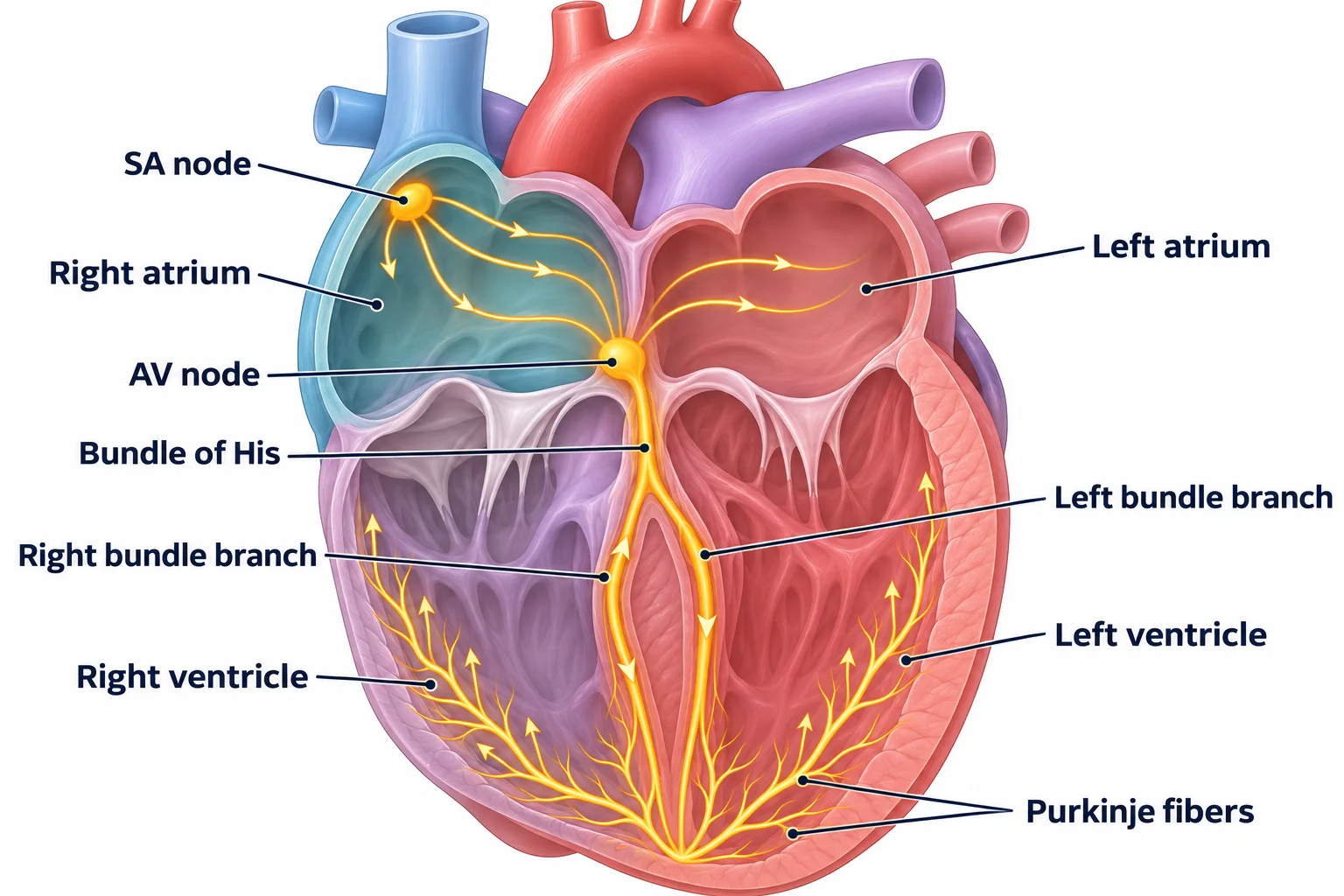
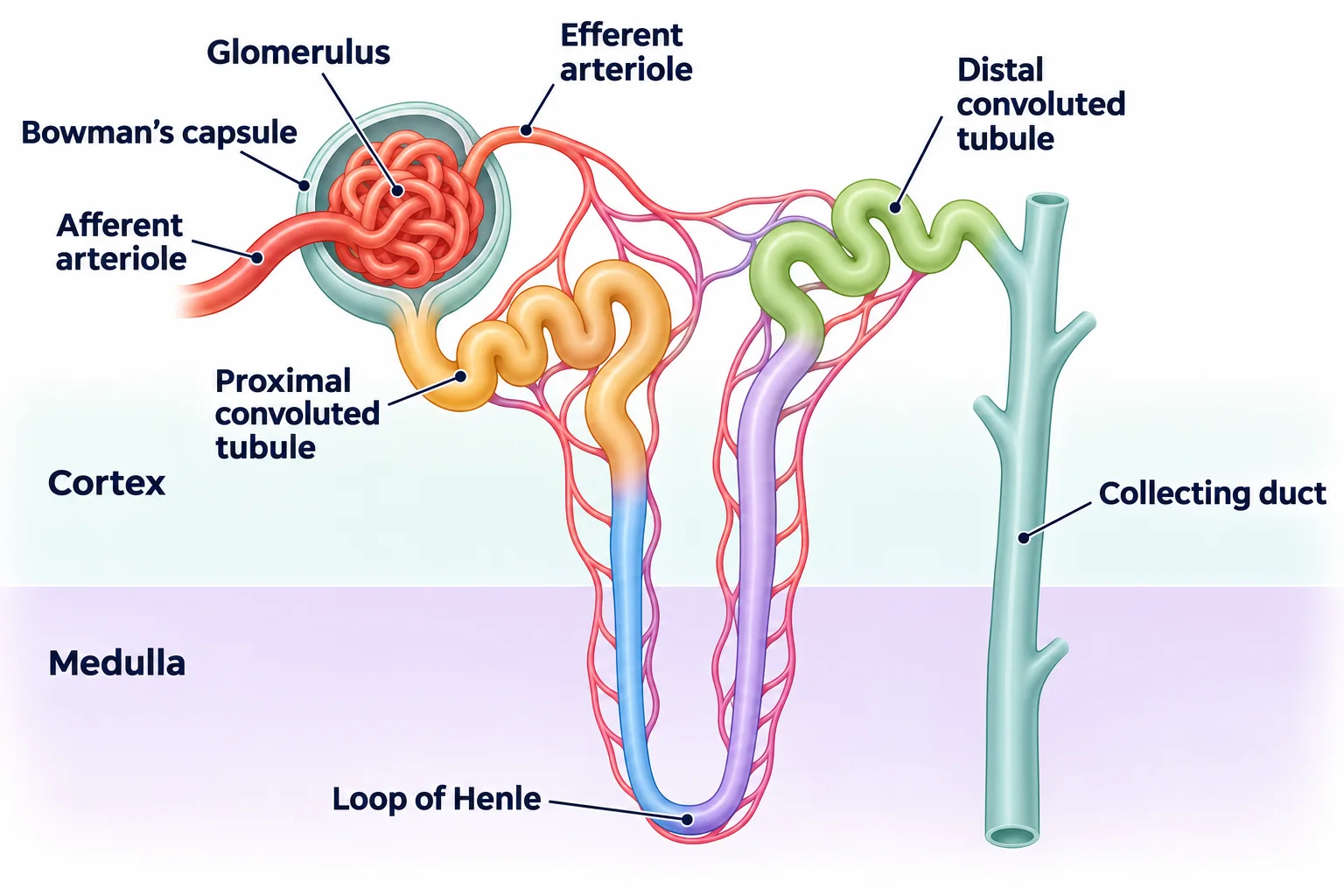
Look at the heart conduction example and the nephron example. One uses direction to lead the reader between regions, while the other uses labels to orient readers to structures. Decide which job should come first in your drawing.
Explore a labelled animal cell diagramHow Medical Illustrations Improve Understanding of Location
When comparing the gallery views, notice how surrounding anatomy provides a reference frame. Ask the editor to keep essential landmarks visible and check how the draft places the focus relative to them.
Draft an image from a scientific brief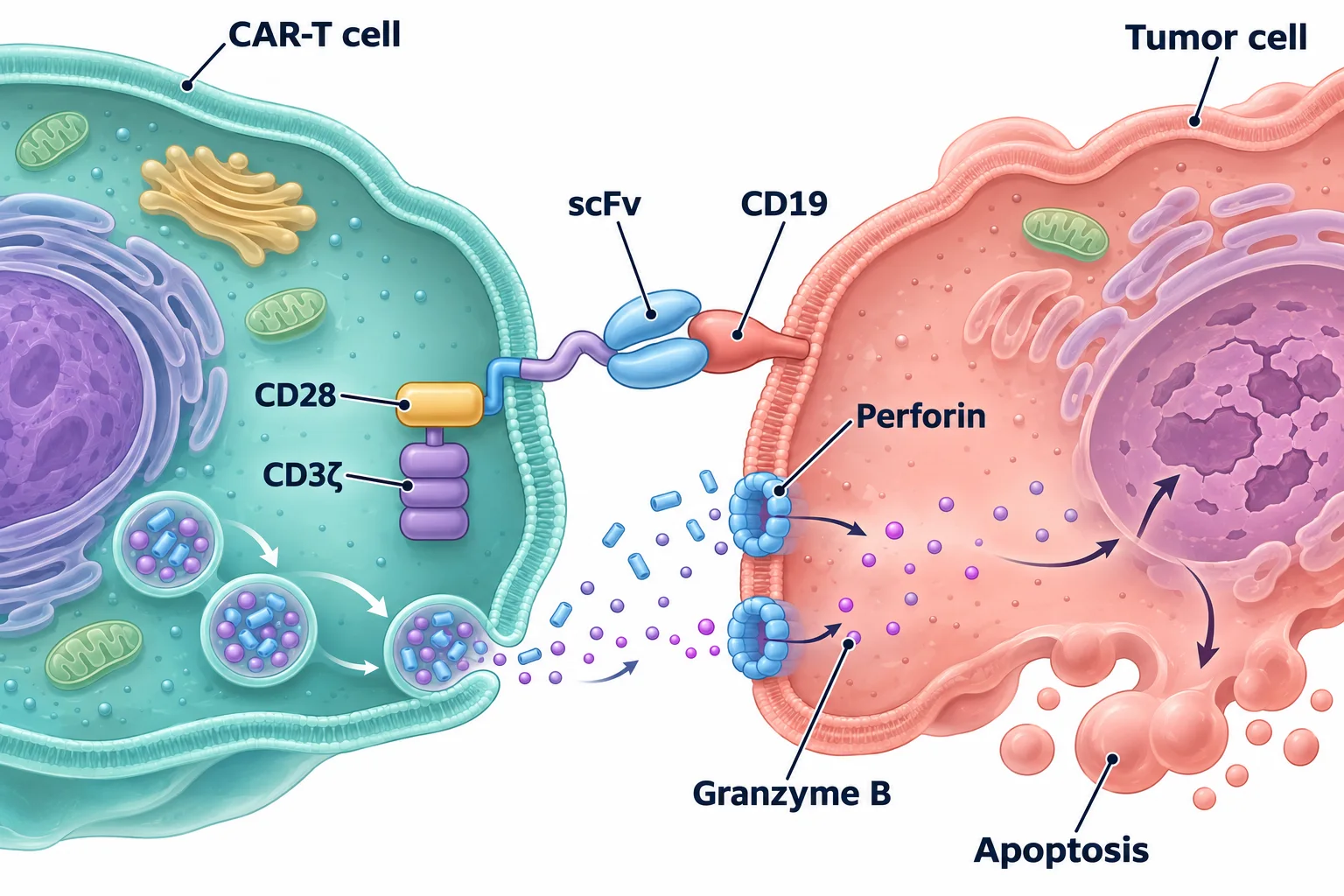

Why Use Our AI Medical Illustration Generator?
A medical illustration generator is a drawing tool, not a source of medical facts. Check every structure and label as you would any figure you publish.
How to Create Medical Illustrations with Agreed Terminology
Labels come from the plan you approve, so you choose the anatomical terms and spelling, not the model. Decide between teaching terms and more technical labels before generation. The editor makes those labels editable, which lets you prepare a different version once your subject reviewer has approved the underlying picture.
Write a figure legendHow Medical Illustration Helps Understanding of a Mechanism
After generation, labels are read back and compared with the plan; mismatches are flagged for you to check. If a draft includes arrows, follow them step by step with the reference source in view. Confirm the important connections and decide whether to update any flag next to a label before you move to export.
Explore scientific color palettesWhen to Use Medical Illustrations in Education
Illustrations explain concepts. They are not diagnostic images and should not be used to make clinical decisions. Use the generator to explain a defined educational concept. For material used with patients, have an appropriate reviewer check that a simplified diagram cannot be mistaken for information about a particular patient.
Compare scientific figure workflowsHow to Create a Medical Illustration in 3 Steps
From a description to a slide- or print-ready illustration.
- 01
How to Draw Medical Illustrations from a Brief
Name the structure or mechanism, the view you want and the labels you need. Identify the audience, show whether the view is from the front or the side, and spell out any terms the viewer needs. Enter only generic details for patient-facing education.
Map a research methodology - 02
How to Make Medical Illustrations with Reviewed Labels
Correct any term, choose a style, then generate. Before the generator draws the first version, check whether any terminology depends on the chosen view. Confirm the side or orientation in the plan as part of that review.
Browse graphical abstract examples - 03
How to Make a Medical Illustration for Print
Review flagged labels, adjust in the editor and export PNG, SVG or PPTX. After reviewing the draft, resize the illustration to its intended place in the handout and check whether the labels fit. Where lines cross, reposition annotations so their targets are clear.
Check image DPI