
Scientific Poster Maker
Paste your abstract or read the whole paper from its PDF, and this scientific poster maker drafts the title, the sections and two to four figures, then lays them out at a real conference size. Every word and figure stays editable before you print.
Reads the introduction, methods, results and conclusions of the whole paper in your browser; the file is not uploaded.
What Is a Scientific Poster Maker?
A conference poster has to hold a whole study on one sheet that people read standing up, often in under a minute. Most of the work is not drawing but deciding: which result leads, how much text fits, where each figure goes and how big the type must be to read from two metres away. A scientific poster maker takes on that planning from your own text, so you start from a laid-out draft instead of an empty slide.
What Goes on a Scientific Poster
A short title that states the finding, the authors and their institutions, then a few blocks that follow the paper: background, methods, results and conclusions, with references and acknowledgements kept small at the bottom. Figures carry the results; text explains them in short paragraphs or bullet points rather than copied paragraphs from the manuscript.
Scientific Poster Maker AI That Reads the Whole Paper
Upload the PDF and the browser reads the main sections of the paper, up to 20 pages, without uploading the file. The AI then proposes a title, section text and a description of each figure. You edit that plan before anything is drawn, and the figures come from the same engine as our scientific illustrations, so labels stay real text.
See the figure engineA Research Poster Maker for Conference Sessions
Choose A0 portrait, A0 landscape, A1 portrait or 36 × 48 inches landscape, the sizes most poster sessions ask for. Type sizes follow our poster size guide (about 96 pt for the title and 28 pt for body text on A0), and the layout grows the spacing to fill the sheet rather than leaving a blank band at the bottom.
Academic Poster SizeScientific Poster Example
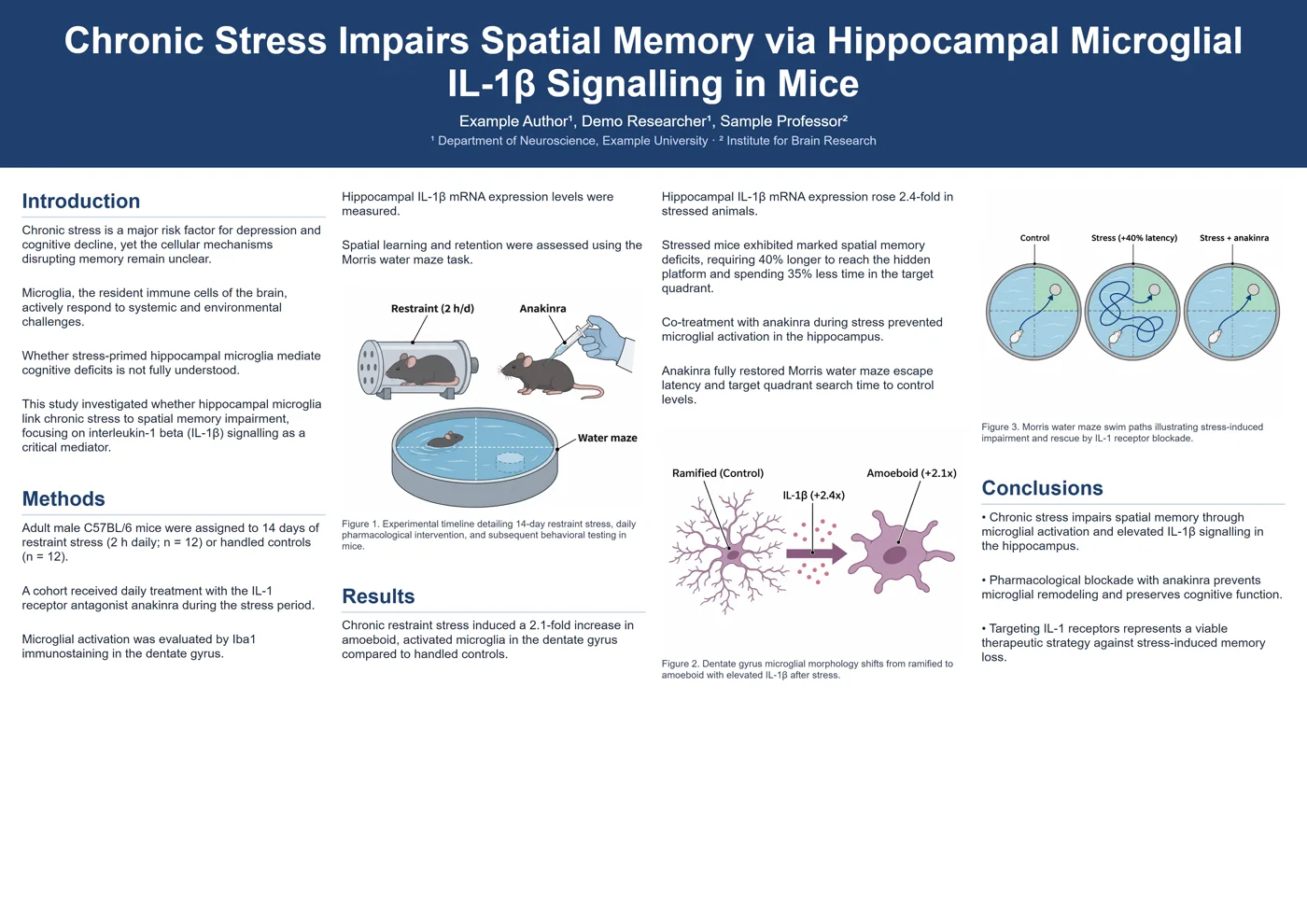
The poster below was made with this tool from a short sample abstract written for the demonstration, not from a published study. It shows the A0 landscape layout with three generated figures.
Why Use Our Scientific Poster Maker?
Slide software gives you a blank canvas and leaves the sizing, the alignment and the figures to you; image generators give you a picture with text you cannot fix. Here the plan, the type, the figures and the export are made for the poster session from the start.
A Free Scientific Poster Maker to Start
Planning is always free, so you can see the title, sections and figure ideas for your study before you spend anything. Each figure costs 30 credits at 1K or 45 at 2K, and a poster has two to four. New accounts receive 30 credits, enough for one figure. Free-plan downloads carry a small corner watermark; any plan or credit pack removes it.
Compare plans and packsAn Academic Poster Maker Where Everything Stays Editable
The finished poster opens in the editor as separate objects: title, author line, every section, every caption and every figure. Rewrite a sentence, swap a figure for one you already have, move blocks or recolour headings with a journal palette, and the rest of the layout stays in place.
Print PDF and PowerPoint Export
Download a print PDF at the exact poster size with vector text, or a PPTX file that opens in PowerPoint, Keynote or Google Slides if your group finishes posters there. PNG, JPG and SVG are there for slides and handouts. If you prefer to start from an empty layout, use our free templates.
Research Poster TemplateHow to Use It in 3 Steps
Going from an abstract to a draft poster with this scientific poster maker takes a few minutes; most of the time goes into reading and adjusting the plan.
- 01
Paste the Abstract or Upload the Paper
Paste an abstract, or choose the paper PDF so the browser reads its introduction, methods, results and conclusions. Pick the poster size and how many figures you want, then add authors and affiliations; only what you type is printed.
- 02
Choose a Size and Review the Free Plan
The AI research poster generator proposes a title, the text of each section and what every figure should show. Change any wording, move a figure to another section and check the live layout preview, which warns you if the text will not fit.
- 03
Generate, Edit and Export
Generate the figures in the illustration style you chose. A figure that fails is refunded and leaves an empty frame you can fill later. Open the poster in the editor, adjust anything, then export the print PDF or PPTX.